 Forxit
Dynamic segmenting
A file is cut into parts that download side by side. When one part finishes, its connection immediately takes half of the largest part left — no connection ever sits idle.
For Windows 10 and 11
Forxit splits each file across up to 32 connections, picks up where it stopped after a drop, and takes over downloads from any browser.
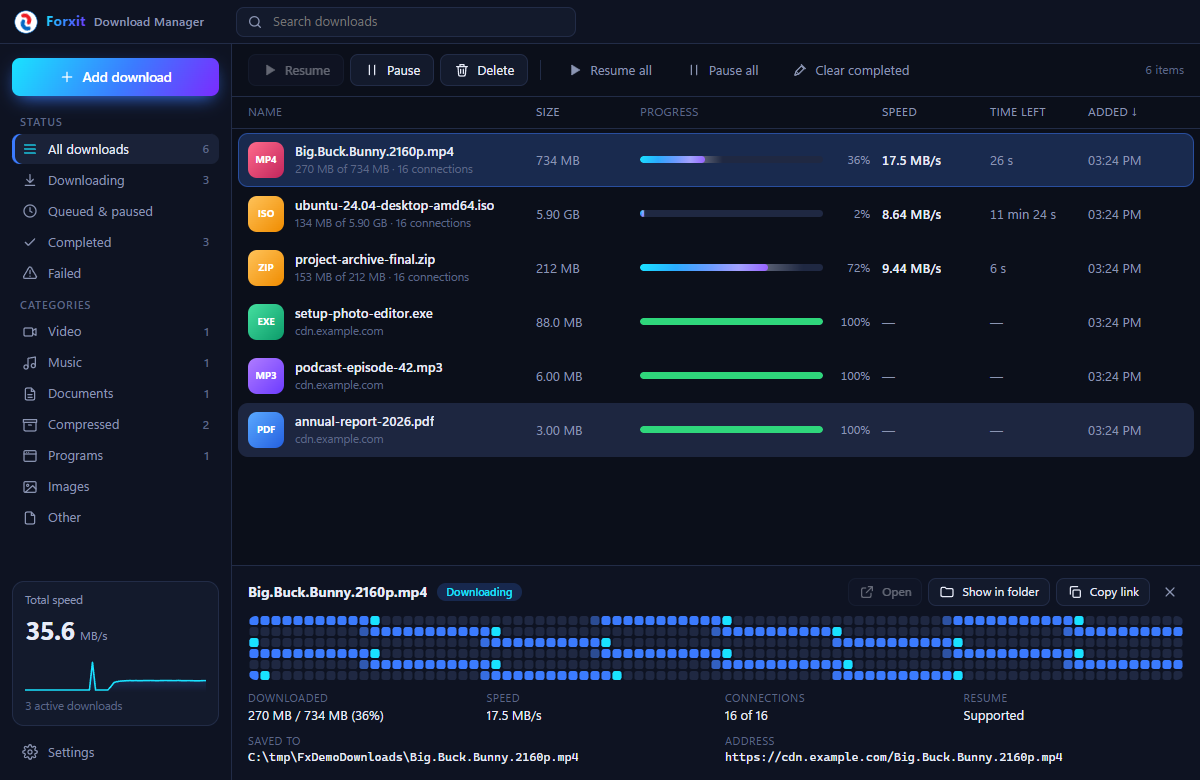
Everything you expect from a classic download manager, in an interface that belongs on a modern desktop.
A file is cut into parts that download side by side. When one part finishes, its connection immediately takes half of the largest part left — no connection ever sits idle.
Lost Wi-Fi, closed the laptop, restarted the PC — the download continues from the exact byte, not from zero.
The extension hands matching downloads to Forxit together with the cookies and referrer, so files behind a login work too.
A live block map shows which parts of the file have arrived and where each connection is working right now.
Queue as many files as you like, limit the speed while you are in a call, and let Forxit sort videos, music, documents and programs into folders.
One installer, nothing extra. The browser bridge only listens on your own computer and only answers the Forxit extension.
Chrome, Edge, Brave, Opera and Vivaldi share one package. Firefox has its own.
chrome://extensions (in Edge: edge://extensions).about:debugging#/runtime/this-firefox.No extension? You can still paste any link into Forxit with Ctrl+V, drop a link onto the window, or copy a file link and accept the prompt.
On servers that allow several connections — most file hosts and CDNs — yes, often by a lot, because your browser uses a single connection. If a server allows only one connection, Forxit uses one and the speed is the same as the browser.
That appears for new apps that are not yet widely installed. Choose More info, then Run anyway.
Some sites create links that only work for a short time. Start the download again from the browser, or copy the new link and choose Replace link from clipboard on the stopped download — it continues from where it was.
Forxit checks this site for a new version, downloads it in the background and offers to restart. Your download list is kept.